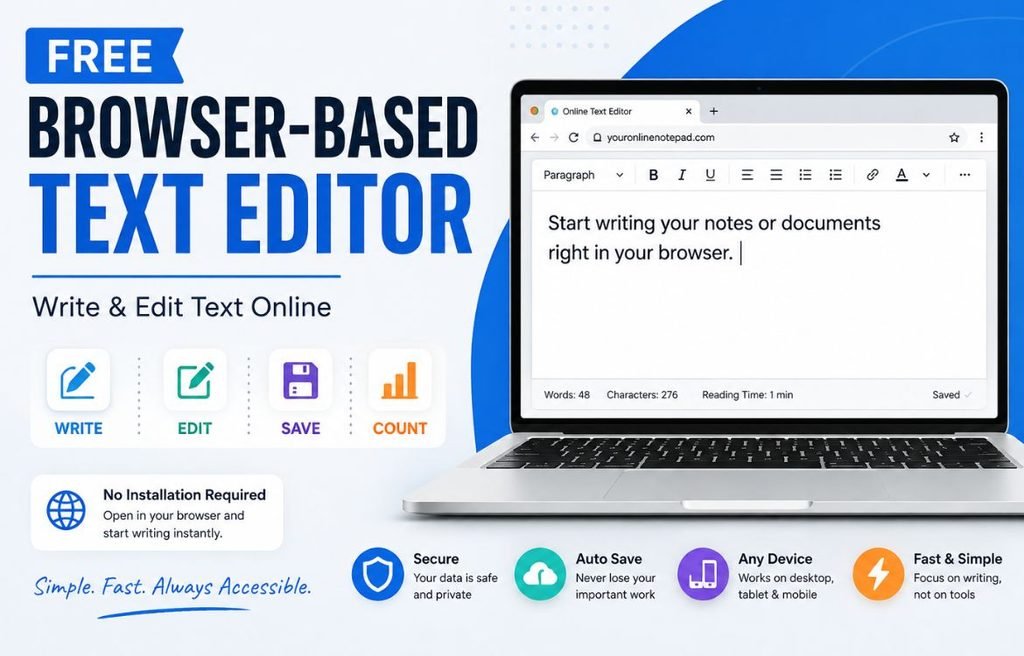
A free browser-based text editor lets you write and edit text directly in your web browser. You do not need to download a program or install extra software. Simply open the editor, start typing, and work on your content.
It can be useful for quick notes, blog drafts, assignments, emails, meeting notes, research, and everyday writing.
If you want a simple place to start writing, try our Free Online Notepad. It gives you a browser-based writing space with useful editing and writing tools.
If you want to learn more about online text editors, how they work, their different types, and their key features, read our [complete beginner’s guide to online text editors].
Table of Contents
What Is a Free Browser-Based Text Editor?
A browser-based text editor is a writing tool that runs inside a web browser such as Chrome, Edge, Firefox, or Safari.
Unlike a desktop editor, you normally do not need to install the software on your computer. You open the webpage and start writing.
Depending on the editor, you may also get features such as:
- Rich text formatting
- Word counting
- Character counting
- Autosave
- Find and replace
- Printing
- File export
- Dark mode
- Mobile support
Some editors focus on plain text, while others provide rich formatting or tools for coding and Markdown.
This is why it is important to choose an editor based on what you actually need.
Why Use a Browser-Based Text Editor?
A free browser-based text editor can make everyday writing faster and easier.
No Installation
You can start writing directly in your browser without installing a large desktop application.
This is useful when you are using a shared computer, a work computer, or a device where you cannot install new software.
Quick Access
You do not have to wait for a desktop application to open. Visit the editor and start writing.
Works Across Devices
Browser-based editors can work on computers, laptops, tablets, and smartphones when the editor has a responsive design.
Simple Writing Experience
Many browser editors focus on writing rather than offering hundreds of advanced features.
A simple interface can be useful when you want to concentrate on your content.
Free to Use
Many browser-based text editors offer their basic writing features for free. However, features and storage options can vary between tools.
What Can You Do With a Browser-Based Text Editor?
A browser-based editor can be useful for many everyday writing tasks.
Write Quick Notes
Use it for reminders, ideas, checklists, meeting notes, or personal notes.
Draft Blog Posts
You can write your first draft in the editor and check its length before publishing.
Prepare Assignments
Students can use an online editor for essays, reports, assignments, and study notes.
Draft Emails
You can prepare an important email, review it, and then copy the final version into your email application.
Edit Existing Text
A text editor can also be useful when you need to clean up or change existing content.
Check Writing Length
If your content has a word or character limit, built-in writing statistics can help you stay within the required length.
Features to Look For in a Free Browser-Based Text Editor
If you want to create more than plain text, choose an editor with rich text formatting.
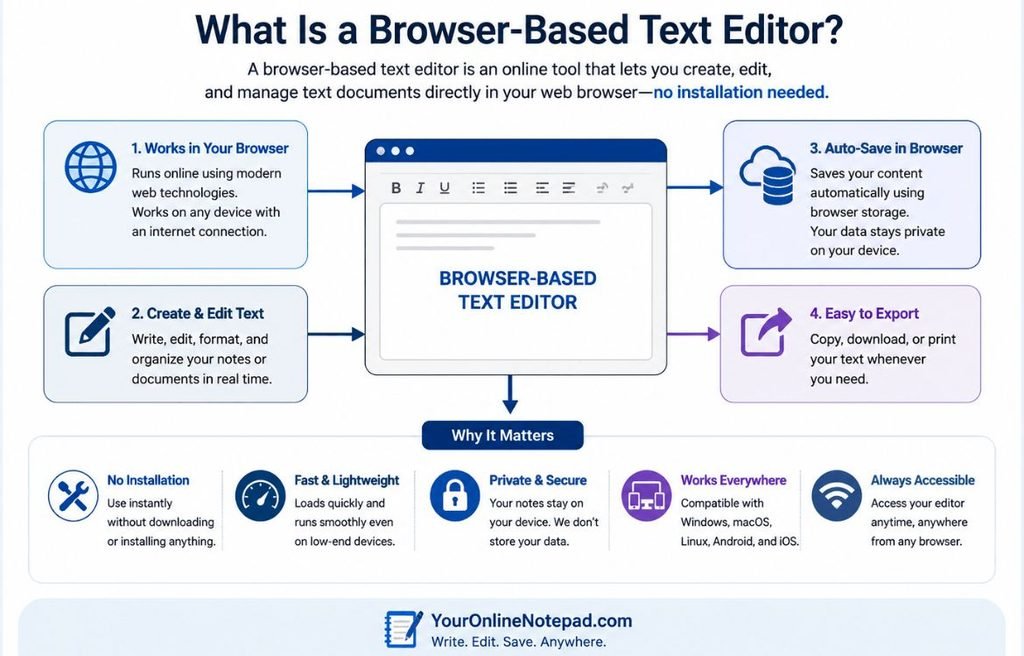
Useful options can include:
- Bold
- Italic
- Underline
- Headings
- Bulleted lists
- Numbered lists
- Text alignment
- Text colour
- Highlighting
- Links
Rich formatting makes documents easier to organize and read.
For a deeper explanation, see our guide on [Rich Text vs Plain Text].
Word and Character Counting
A live word counter helps you track the length of your writing while you type.
This is useful for:
- Blog posts
- Essays
- Assignments
- Articles
- Reports
A character counter is helpful when you need to follow limits for social media posts, SEO titles, meta descriptions, or other platforms.
Autosave
Autosave can help protect your work if you accidentally refresh or close a browser tab.
Different editors use different storage methods. Some save information in your browser, while others use cloud storage or user accounts. Always check how your chosen editor stores your work.
Find and Replace
Find and replace is especially useful for longer documents.
Instead of searching through the entire document manually, you can find a word or phrase and replace it quickly.
Export and Print
A useful editor should make it easy to take your writing with you.
Depending on the tool, you may be able to:
- Download a text file
- Export your document
- Print your work
- Copy your content into another application
The available options depend on the editor.
Browser-Based Text Editor vs Desktop Text Editor
Both types of editors can be useful, but they are designed for different needs.
| Feature | Browser-Based Editor | Desktop Editor |
|---|---|---|
| Installation | Usually not required | Required |
| Access | Web browser | Installed software |
| Quick notes | Excellent | Good |
| Rich formatting | Depends on editor | Usually available |
| Word count | Depends on editor | Often available |
| Autosave | Depends on editor | Depends on software |
| Device access | Usually flexible | Depends on installation |
| Offline use | Depends on editor | Usually available |
If you need advanced document features, a desktop word processor may be a better choice.
If you want to open a browser and start writing quickly, a browser-based editor can be more convenient.
For a detailed comparison, read Online Text Editor vs Microsoft Word.
Who Can Use a Free Browser-Based Text Editor?
A browser-based editor can help many different users.
Students
Write assignments, essays, lecture notes, and research drafts.
Writers and Bloggers
Create articles, blog posts, stories, and content drafts.
Professionals
Prepare meeting notes, reports, emails, and project documents.
Developers
Write code snippets, Markdown notes, configuration text, or documentation when using an editor designed for technical work.
Researchers
Organize research notes, observations, and early drafts.
Everyday Users
Create shopping lists, reminders, plans, and quick notes.
Try YourOnlineNotepad Free Online Text Editor
If you need a simple place to write and edit text without installing software, YourOnlineNotepad provides a browser-based writing workspace.
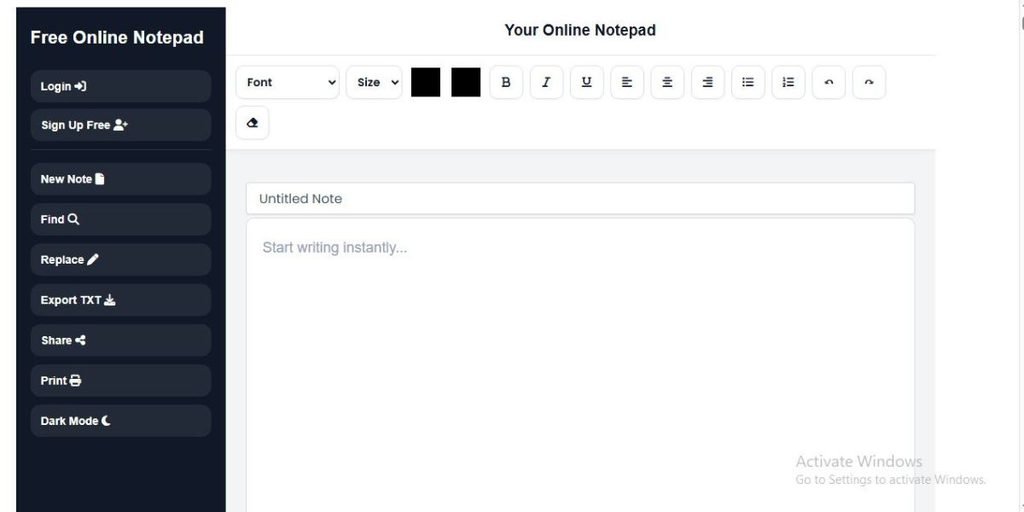
You can start writing and use features such as rich text formatting, autosave, word counting, character counting, find and replace, printing, and document export.
Instead of opening several different applications, you can use your writing workspace and then move to related tools when you need more detailed text analysis.
For example:
- Write your draft in the Free Online Notepad.
- Check its length with the Word Counter.
- Check character limits with the Character Counter.
- Estimate reading time with the Reading Time Calculator.
- Clean unwanted formatting with the Text Cleaner.
Start Writing in the Free Online Notepad
How to Choose the Right Browser-Based Text Editor
Before choosing an editor, ask yourself what you need.
Do you need formatting?
Choose a rich text editor if you need headings, lists, bold text, colours, or alignment.
Do you need word and character counts?
Look for an editor with live writing statistics.
Do you need automatic saving?
Choose an editor with autosave and check where your notes are stored.
Do you need to work with a team?
Look for an editor that supports sharing and collaboration.
Do you only need a simple writing space?
A lightweight browser-based editor may be all you need.
Frequently Asked Questions
Many browser-based text editors offer free versions. The available features can vary between tools.
No. A browser-based editor runs inside your web browser, so you normally do not need to install the editor.
Can I use a browser-based text editor on my phone?
Yes, if the editor has a mobile-friendly design. Many modern browser-based editors work on phones and tablets.
Can a browser-based text editor count words?
Yes. Many online editors include live word counting. You can also use a dedicated [Word Counter] for more detailed writing statistics.
Can I count characters?
Yes. A [Character Counter] can help you check character limits while writing.
Can I format text?
Yes, if the editor supports rich text formatting. Common options include bold, italic, headings, lists, colours, and alignment.
Does a browser-based text editor save my work?
Some editors use browser storage, while others save documents to cloud accounts. Check the editor’s storage and privacy information before relying on it for important work.
Conclusion
A free browser-based text editor is a convenient way to write and edit text without installing desktop software. It can be useful for notes, assignments, blog posts, emails, reports, and everyday writing.
The best editor depends on your needs. Some focus on simple writing, while others provide rich formatting, writing statistics, autosave, or advanced editing features.
If you want a simple browser-based writing workspace, try [YourOnlineNotepad’s Free Online Notepad]. You can write directly in your browser and use related tools such as the Word Counter, Character Counter, Reading Time Calculator, and Text Cleaner as your content moves from first draft to finished text.
Many browser-based text editors offer free versions. The available features can vary between tools.
No. A browser-based editor runs inside your web browser, so you normally do not need to install the editor.
Yes, if the editor has a mobile-friendly design. Many modern browser-based editors work on phones and tablets.
No. A browser-based editor runs inside your web browser, so you normally do not need to install the editor.
Yes, if the editor has a mobile-friendly design. Many modern browser-based editors work on phones and tablets.
Yes. Many online editors include live word counting. You can also use a dedicated [Word Counter] for more detailed writing statistics.
Yes. A [Character Counter] can help you check character limits while writing.
Yes, if the editor supports rich text formatting. Common options include bold, italic, headings, lists, colours, and alignment.
Some editors use browser storage, while others save documents to cloud accounts. Check the editor’s storage and privacy information before relying on it for important work.
Conclusion
A free browser-based text editor is a convenient way to write and edit text without installing desktop software. It can be useful for notes, assignments, blog posts, emails, reports, and everyday writing.
The best editor depends on your needs. Some focus on simple writing, while others provide rich formatting, writing statistics, autosave, or advanced editing features.
If you want a simple browser-based writing workspace, try YourOnlineNotepad’s Free Online Notepad. You can write directly in your browser and use related tools such as the Word Counter, Character Counter, Reading Time Calculator, and Text Cleaner as your content moves from first draft to finished text.