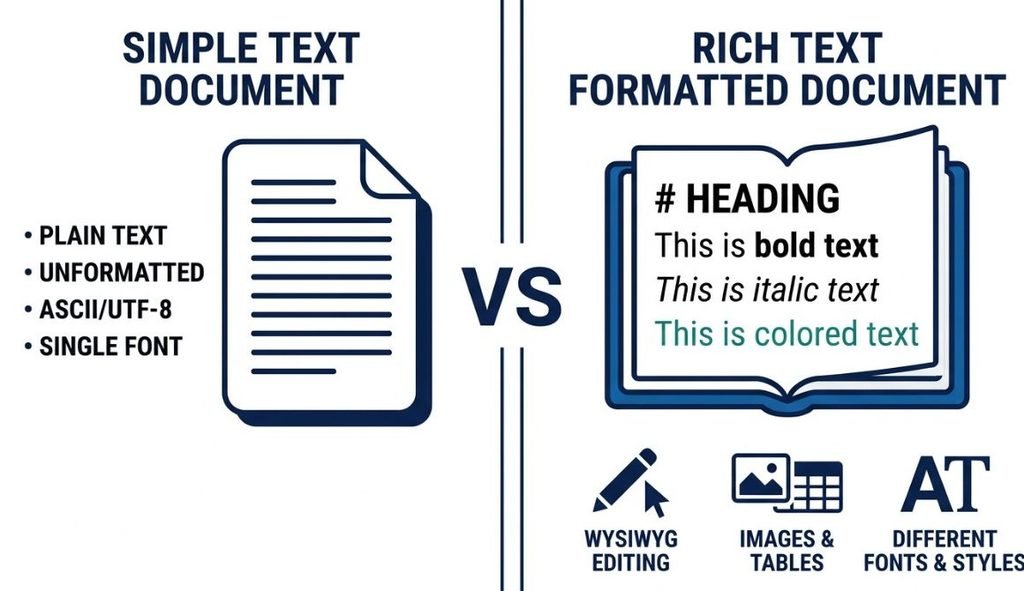
When you write on a computer or phone, you may use either plain text or rich text. Both are useful, but they work in different ways.
If you want to learn how browser-based editors work, read our guide to What Is an Online Text Editor?
If you want to learn more about browser-based writing tools, see our Online Text Editor guide.
Plain text focuses on the words themselves. It does not normally include formatting such as bold text, different fonts, colors, or images. Rich text adds formatting, making it easier to organize and style your content.
For example, a quick reminder may work well as plain text, while an assignment, report, or article may be easier to read as rich text.
In this guide, you will learn the difference between plain text vs rich text, their benefits and drawbacks, common uses, and how to choose the right format.
Table of Contents
What Is Plain Text?
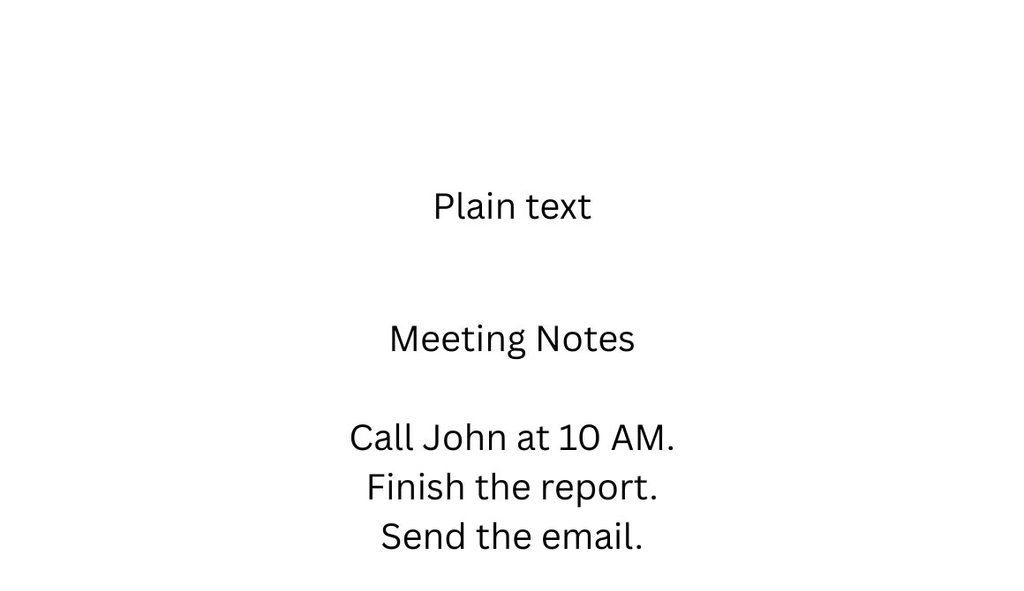
Plain text is the simplest form of digital text.
It contains letters, numbers, punctuation, spaces, and line breaks. It does not normally store visual formatting.
A common example is a .txt file.
Plain text does not normally include:
- Bold text
- Italic text
- Different fonts
- Font colors
- Images
- Tables
- Special text styles
For example:
Meeting Notes
Call John at 10 AM.
Finish the project report.
Send the email before Friday.
Why Is Plain Text Useful?
Plain text is popular because it is simple and lightweight. It is also supported by many different devices and applications.
It works well for:
- Quick notes
- Reminders
- To-do lists
- Simple drafts
- Code
- Configuration files
- Logs
- Basic data
Because it contains little extra information, plain text is also easy to copy and move between different applications.
What Is Rich Text?
A rich text editor can let you change the way your content looks and is organized.
Depending on the editor, you may be able to use:
- Bold
- Italic
- Underline
- Different fonts
- Different font sizes
- Text colors
- Highlighting
- Headings
- Bullet lists
- Numbered lists
- Links
- Tables
Some rich text systems can also support images and other objects.
For example:
Meeting Notes
Important Tasks
- Call John at 10 AM
- Finish the project report
- Send the email before Friday
The words contain formatting that helps readers understand the information more easily.
Plain Text vs Rich Text: Quick Comparison
The easiest way to understand the difference is to compare their main features.
| Feature | Plain Text | Rich Text |
|---|---|---|
| Basic text | ✓ | ✓ |
| Bold | ✗ | ✓ |
| Italic | ✗ | ✓ |
| Underline | ✗ | ✓ |
| Different fonts | ✗ | ✓ |
| Text colors | ✗ | ✓ |
| Headings | Limited | ✓ |
| Lists | Basic | ✓ |
| Links | Usually plain URLs | Usually clickable |
| Images | ✗ | Often ✓ |
| Tables | ✗ | Often ✓ |
| File size | Usually smaller | Usually larger |
| Portability | Excellent | Good, but can vary |
| Quick notes | Excellent | Good |
| Formatted documents | Limited | Excellent |
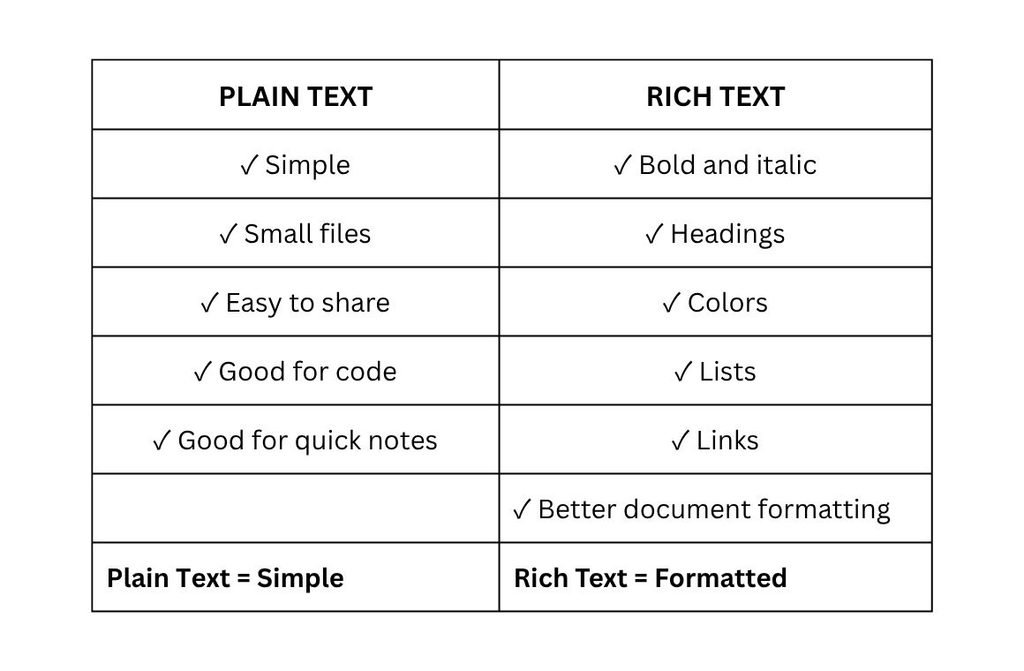
In simple terms:
Plain text = words without visual formatting.
Rich text = words plus formatting.
What Is the Main Difference Between Plain Text and Rich Text?
The biggest difference is formatting.
Plain text stores the actual characters. Rich text stores the characters along with information about how they should appear.
For example:
Plain text:
Important meeting tomorrow
Rich text:
Important meeting tomorrow
The message is the same, but rich text adds visual emphasis.
This makes plain text useful when you want simple, clean content, while rich text is useful when appearance and organization are important.
Advantages of Plain Text
Plain text has several useful benefits.
1. Simple to Use
You can start typing without worrying about fonts, colors, or other formatting.
2. Lightweight
Plain text contains very little extra information, so files are usually small.
3. Easy to Share
Plain text is supported by many applications and operating systems, making it easy to move between different tools.
4. Good for Quick Notes
It is ideal for reminders, ideas, shopping lists, and simple notes.
5. Useful for Code
Code, configuration files, and logs are commonly stored as plain text because they do not need document formatting.
6. Less Distraction
If you want to focus only on your ideas, plain text keeps the writing process simple.
Disadvantages of Plain Text
The main disadvantage of plain text is that it has very limited formatting.
You cannot normally use visual styles such as:
- Bold
- Italic
- Text colors
- Images
- Tables
- Complex layouts
This can make long documents harder to organize.
For example, a long research document may be difficult to scan if every part looks the same.
Advantages of Rich Text
Rich text is useful when you want your content to be easier to organize and read.
Better Organization
Headings, lists, and paragraphs help divide a document into clear sections.
Easy Emphasis
You can make important information bold or italic.
Professional Documents
Rich text works well for:
- Reports
- Assignments
- Articles
- Proposals
- Letters
- Meeting notes
Links and Lists
You can add clickable links, bullet points, and numbered lists to make information easier to use.
More Formatting Control
Depending on the editor, you can change fonts, sizes, colors, alignment, and other visual elements.
Disadvantages of Rich Text
Rich text also has some drawbacks.
More Complex
More formatting options can make an editor harder to use when you only need to write a quick note.
Larger Files
Formatting information and embedded objects can make rich text documents larger than simple plain text files.
Compatibility Problems
Rich formatting may not always look exactly the same when moved between different applications.
Fonts, spacing, and other styles can change depending on the software being used.
More Distraction
Too many colors, fonts, and formatting options can sometimes distract you from writing.
Plain Text vs Rich Text for Note Taking
Both formats can be useful for taking notes.
The best choice depends on the type of notes you are creating.
Plain Text Is Better For:
- Quick reminders
- Shopping lists
- Brainstorming
- Temporary notes
- Simple to-do lists
- Code snippets
- Short ideas
Rich Text Is Better For:
- Study notes
- Meeting minutes
- Research notes
- Project plans
- Detailed instructions
- Long-term reference notes
For example, you might use plain text to quickly write an idea during a meeting. Later, you can organize that idea with headings and lists using rich text.
Use plain text for quick capture and rich text when you need more structure.
Plain Text vs Rich Text for Writing
Writers may use both formats during the writing process.
Plain Text for First Drafts
Plain text can help you focus on your ideas instead of appearance.
You can write quickly without stopping to choose fonts, colors, or styles.
Rich Text for Editing
After your main ideas are ready, rich text can help you organize the final document.
You can add:
- Headings
- Bold text
- Lists
- Links
- Emphasis
- Paragraph structure
A simple workflow is:
Idea → Plain Text Draft → Edit → Rich Text → Final Document
You do not always have to choose only one format.
Plain Text vs Rich Text: Which One Should You Choose?
There is no single winner.
Your choice should depend on what you are doing.
| If you need… | Choose |
|---|---|
| Quick notes | Plain Text |
| Simple lists | Plain Text |
| Code | Plain Text |
| Maximum portability | Plain Text |
| Distraction-free writing | Plain Text |
| Formatted documents | Rich Text |
| Headings and lists | Rich Text |
| Visual emphasis | Rich Text |
| Professional documents | Rich Text |
| Structured notes | Rich Text |
A simple rule:
Choose plain text when the content matters more than appearance.
Choose rich text when formatting helps you understand or present the content.
Free Plain Text and Rich Text Editing With YourOnlineNotepad
If you need a simple place to write online, YourOnlineNotepad’s Free Online Notepad can be part of your writing workflow.
You can use it for notes, ideas, drafts, articles, assignments, and other everyday writing.
You can also use related writing tools when you need to check or prepare your content:
- Word Counter — check the number of words in your document.
- Character Counter — check character limits for SEO titles, descriptions, and social media content.
- Reading Time Calculator — estimate how long your content may take to read.
- Text Cleaner — remove unwanted formatting from copied text.
This creates a simple workflow:
Write → Count → Clean → Publish
If you want to learn more about browser-based writing tools, read our What Is an Online Text Editor? Complete Beginner’s Guide.
Frequently Asked Questions
Plain text contains text without visual formatting. Rich text includes the text plus formatting such as fonts, colors, bold, italics, headings, and lists.
Not always. Plain text is better for simplicity, portability, quick notes, and code. Rich text is better when formatting and visual organization are important.
Rich text can be better for documents that need headings, lists, links, and emphasis. Plain text can be better for distraction-free first drafts.
Yes. Many online tools provide rich text editing features for free, although some may limit advanced features.
Yes. Plain text can be useful for creating a first draft. You can add formatting later using a rich text editor.
Yes. Rich text is useful for detailed notes because headings, lists, bold text, and links can make information easier to organize.
Yes. The .txt file format is commonly used for plain text.
Yes. RTF stands for Rich Text Format and supports text formatting.
Plain text is generally better for code because code needs clean characters and structure rather than document formatting.
Yes. You can usually copy content as plain text or use a text-cleaning tool to remove unwanted formatting.
Related Guides
Want to learn more about online writing tools? Read our guides on Online Text Editor vs Microsoft Word and Online Text Editor vs Google Docs to compare different writing options.
Conclusion
The difference between plain text vs rich text is simple.
Plain text focuses on the words, while rich text adds formatting and structure.
Plain text is a good choice for quick notes, simple drafts, code, lists, and content that needs to work across many applications.
Rich text is better when you need headings, bold text, lists, links, colors, or other formatting.
You do not have to use only one format. You can start with plain text when capturing ideas and add rich formatting later when you are ready to organize your document.
If you need a simple place to start writing, try the Free Online Notepad from YourOnlineNotepad and use its related writing tools to check and prepare your content.