Want to write something but do not want to download or install software first?
Writing without installing software is easier than ever. With a browser-based writing tool, you can open a webpage, start typing, edit your text, and save or export your work without installing a traditional desktop program.
This can be useful for quick notes, school assignments, blog drafts, emails, meeting notes, and many other writing tasks.
If you are new to browser-based writing, start with our complete guide to [What Is an Online Text Editor?].
Table of Contents
What Does Writing Without Installing Software Mean?
Writing without installing software means using a writing tool directly through your web browser.
Instead of downloading a program to your computer, you open a website such as an online text editor and begin writing.
You can use a browser such as Chrome, Edge, Firefox, or another supported browser.
The basic process is simple:
Open your browser → Open the writing tool → Start typing → Edit your text → Save or export your work
You do not need to install a traditional word processor just to write a quick note or draft.
Why Write Without Installing Software?
There are several reasons people choose browser-based writing tools.
No installation
You can start writing without downloading a large application.
Quick access
You can open the writing tool whenever you need it instead of searching through installed programs.
Works across devices
A browser-based tool can be useful on a laptop, desktop, tablet, or phone when the editor supports those devices.
Less setup
For simple writing, you may not need complicated menus, installation steps, or software settings.
Useful for temporary writing
If you only need to write a quick note, idea, list, or draft, an online writing tool can be enough.
How to Start Writing Without Installing Software
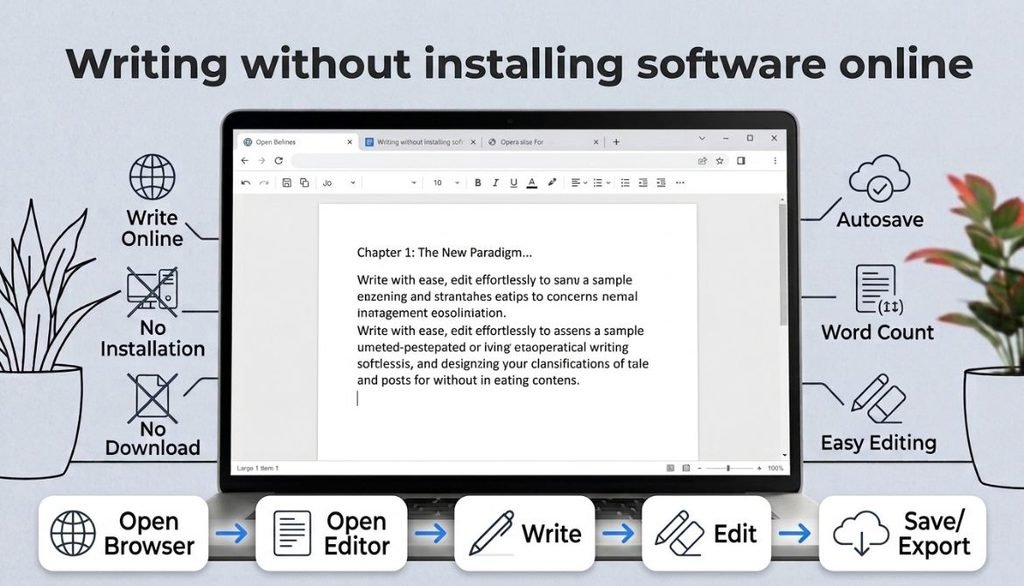
Getting started is simple.
Step 1: Open your browser
Open Chrome, Edge, Firefox, or another browser on your device.
Step 2: Open an online writing tool
Go to a browser-based text editor such as [YourOnlineNotepad].
Step 3: Start writing
Type your notes, assignment, article, email, or other text.
Step 4: Edit your writing
Use available formatting, Find and Replace, and other editing features when needed.
Step 5: Check your text
Use a word or character counter if you need to meet a specific limit.
Step 6: Save, export, or print
Depending on the tool, you may be able to keep your work in the browser, download a file, or print it.
This workflow is often enough for everyday writing.
Where Is Your Writing Saved?
This is one of the most important questions to ask when writing online.
An online writing tool may store your work in different ways. Some browser-based tools use local browser storage, while other services may use an online account or cloud storage.
Browser storage means information can be kept by the browser on your device.
For example, some browser writing tools specifically explain that documents are saved locally in the browser rather than on their servers.
Because storage methods differ between tools, always check how your chosen editor saves and recovers your work.
For important documents, keeping a downloaded backup is also a good idea.
Can You Write Without Installing Software on Any Device?
In many cases, yes, as long as the device has a supported web browser and an internet connection for accessing the online tool.
This makes browser-based writing useful on:
- Laptops
- Desktop computers
- Tablets
- Smartphones
- School computers
- Work computers
For example, you might start a note on your laptop and later open your writing tool on your phone.
However, whether your actual documents are available across devices depends on how the particular tool stores your work.
What Can You Write Online?
You can use a browser-based writing tool for many everyday tasks.
Quick notes
Write down ideas, reminders, shopping lists, or tasks.
School assignments
Draft essays, assignments, and study notes while checking your word count.
Blog posts
Create and edit blog drafts before publishing them on your website.
Emails
Prepare longer emails before copying them into your email service.
Meeting notes
Record important points and action items during or after a meeting.
Journaling
Write personal thoughts in a simple browser-based writing space.
Brainstorming
Capture ideas without opening a complicated document program.
The important thing is to choose a tool that has the features you actually need.
What Features Should You Look For?
You do not need dozens of features to write online. A few useful tools can make the experience much easier.
Autosave
Autosave can help protect your work if you accidentally close or refresh the page.
Word and character count
These features are useful for assignments, articles, and content with specific limits.
YourOnlineNotepad includes word and character counting, and you can also use our [Word Counter] for more detailed text statistics.
You can also estimate how long your content will take to read with our Reading Time Calculator.”
Text formatting
If you need headings, bold text, italic text, lists, colors, or highlighting, choose an editor that supports formatting.
For more information, read [Plain Text vs Rich Text].
Find and Replace
This feature lets you quickly find a word or phrase and replace it without searching through the whole document manually.
Print and export
Printing and downloading your work can be useful when you need a physical copy or backup.
Writing Without Installing Software vs Desktop Software
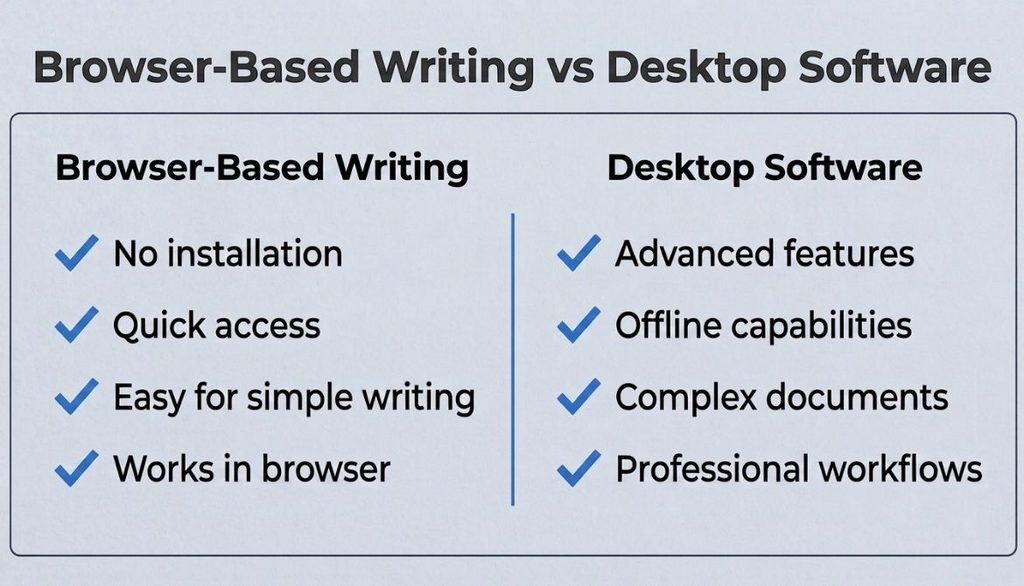
Browser-based writing and desktop software both have advantages.
| Browser-based writing | Desktop software |
|---|---|
| No installation | Requires installation |
| Quick access | Usually more advanced |
| Works through a browser | Runs as an installed application |
| Good for quick writing | Good for complex documents |
| Easy to start | More setup |
| Useful across devices | May offer stronger offline features |
For simple writing, you may not need a large desktop application.
However, desktop software can be a better choice when you need advanced document layouts, specialized features, or extensive offline functionality.
The right choice depends on your writing needs.
“For a detailed comparison, see “Online Text Editor vs Microsoft Word.”
When Is an Online Writing Tool Enough?
A browser-based writing tool may be enough when you need to:
- Write quick notes
- Draft an article
- Prepare an assignment
- Count words
- Edit text
- Make simple formatted documents
- Print your writing
- Export a text file
For these tasks, a simple browser-based workspace can save you the time of installing and learning complicated software.
YourOnlineNotepad is designed for everyday browser-based writing and note-taking, with features such as automatic saving, formatting, word and character counting, Find and Replace, printing, and TXT export.
When Should You Use Desktop Software?
An online writing tool is not the best choice for every situation.
Desktop software may be more suitable when you need:
- Advanced document layouts
- Complex tables
- Specialized publishing features
- Extensive offline work
- Large professional documents
- Advanced document management
For example, authors working on complete books may need specialized tools for chapters, collaboration, formatting, and publishing. Reedsy Studio is specifically designed around planning, writing, editing, collaboration, and book formatting.
The goal is not to replace every desktop application. The goal is to use the simplest tool that fits your task.
Why Choose YourOnlineNotepad for Browser-Based Writing?
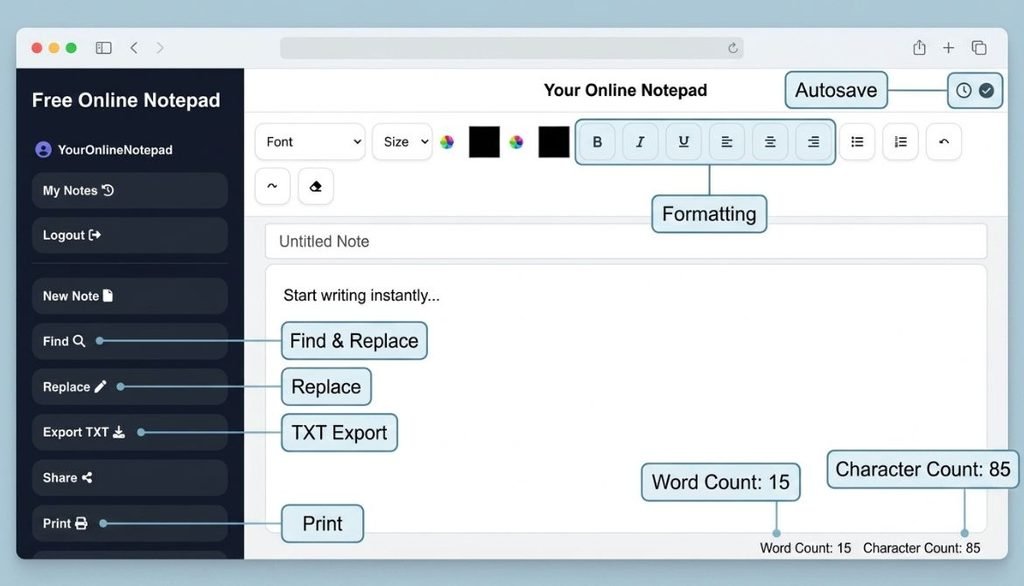
If you want a simple place to write without installing traditional software, YourOnlineNotepad can be useful for everyday writing and note-taking.
You can use it for:
- Quick notes
- Assignments
- Blog drafts
- Meeting notes
- Emails
- Lists
- Brainstorming
- Personal writing
You can start writing directly in your browser and use helpful tools such as word counting, character counting, formatting, Find and Replace, printing, and TXT export.
If you want a simple browser-based writing space, [try YourOnlineNotepad] and start writing online.
Frequently Asked Questions
Yes. Browser-based writing tools let you create and edit text directly through a web browser without installing traditional desktop software.
Do I need an account to write online?
Not always. Some online writing tools allow you to start writing without creating an account. The requirements depend on the specific service.
Yes. If you only need basic writing and editing, you can use a browser-based text editor instead of installing Microsoft Word.
For a detailed comparison, see [Online Text Editor vs Microsoft Word].
Can I write online on my phone?
Yes, if the writing tool has a mobile-friendly interface. Browser-based writing can be convenient for short notes, ideas, and drafts.
That depends on how the particular tool saves your work. Look for autosave and recovery features, and keep a backup of important documents.
Is writing online free?
Many browser-based writing tools offer free access, although features and limitations vary between services.
Can I write a blog post without installing software?
Yes. You can draft and edit a blog post in a browser-based text editor and then move the finished content to your website or publishing platform.
Many browser-based writing tools offer free access, although features and limitations vary between services.
Final Thoughts
Writing without installing software is a convenient option when you want to start writing quickly.
A browser-based writing tool can be useful for notes, assignments, blog drafts, emails, meeting notes, and many other everyday tasks.
Before choosing one, check how it saves your work, whether it supports autosave, what editing features it provides, and whether you can export or print your writing.
You do not always need complicated software. For many everyday writing tasks, a simple online writing space can be all you need.
Start writing in your browser with [YourOnlineNotepad].